
Onboard, manage and pay your team — all in one place
From digital onboarding and document signing to payroll sync — Urhere manages the full employee lifecycle, connected to your rosters and timesheets.
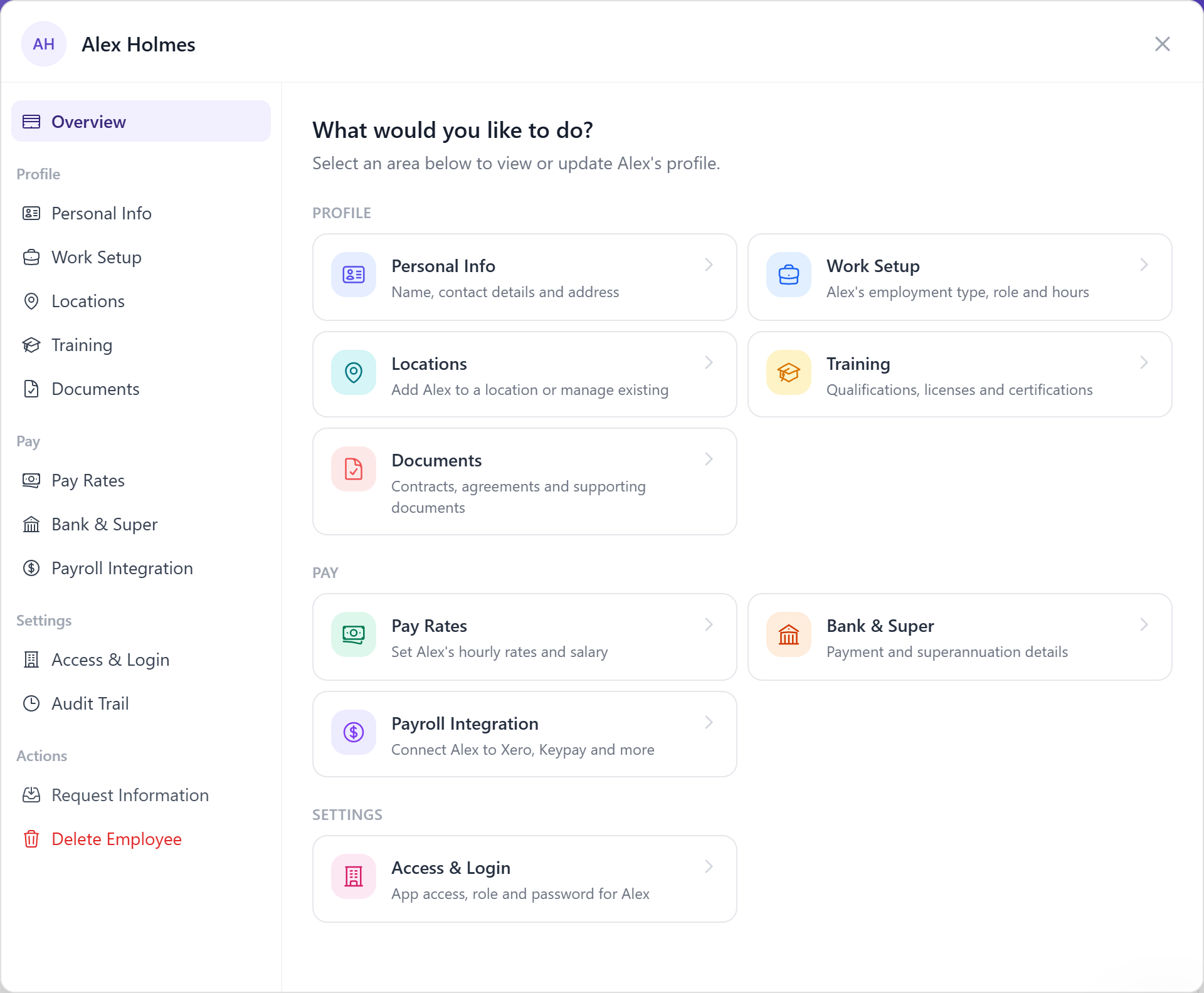
One system from first day to final pay
Urhere handles the full employee lifecycle. Onboard new starters digitally, store signed documents against their profile, manage availability and leave, and sync pay details directly to payroll — all connected to the rosters and timesheets your managers use every day.
A complete employee record — from offer to offboard
Onboarding, documents, availability, leave and payroll sync — in one place.
Employee profiles
Store contact details, employment type, start dates, pay rates and role information for each team member — connected to rosters, timesheets and payroll.
Digital onboarding
Send onboarding packs to new starters before day one. They complete personal details and submit required information from their phone — ready to roster from the start.
Document signing
Get employment agreements, policies and tax forms signed digitally. Signed documents are stored against the employee profile — no chasing paper.
Payroll syncing
Employee details and pay rates sync directly to your connected payroll system. Update a rate in Urhere and it flows through — no double entry.
Availability management
Employees submit their availability through the app. Managers see it automatically when building rosters — no spreadsheet cross-checking.
Multi-location assignments
Assign employees to one or more locations and roster them across sites without separate accounts or duplicated records.
Onboard new starters before day one
As soon as a new employee is added to Urhere, you can send them an onboarding pack. They complete their personal details, sign employment agreements, submit tax documents and acknowledge any required policies — all from their phone, before their first shift.
When they arrive, their profile is complete and they are ready to be rostered. No admin to catch up on, no paperwork to collect on the day.
- Send onboarding packs on hire
- Employees complete and sign from their phone
- Employment agreements signed digitally
- Tax forms and policies collected before day one
- All documents stored against the employee profile
.png)
Employee details and pay rates — synced to payroll automatically
When you update an employee's pay rate, role or employment type in Urhere, those changes sync directly to your connected payroll system. There is no need to update the same information in two places.
For businesses with complex pay structures — multiple rates, award conditions, or casual loading — Urhere keeps payroll current as your team changes.
- Pay rate changes synced to payroll on update
- Role and employment type changes reflected automatically
- Supports multiple rates and award-based structures
- New employees created in payroll from their Urhere profile
.png)
Assign staff across locations without duplicating records
For businesses running more than one site, managing employees across locations can create admin overhead. Urhere lets you assign a single employee to multiple locations and roster them at any site from one account.
Role and pay rate information travels with the employee. If Sam works at two venues, both managers can roster them without needing separate profiles or logins.
- One employee profile across all locations
- Roster at any assigned location
- Role and pay rate follow the employee
- Manager access controlled per location
.png)
From hire to payroll — how Urhere connects the steps
New starter onboarded
Add the employee to Urhere and send an onboarding pack. They complete personal details, sign documents and are ready to roster before their first shift.
Profile to roster
Employee roles, availability and leave are visible when managers build rosters. No cross-referencing spreadsheets or separate systems.
Roster to timesheet
Clock-in records hours automatically against each shift. Employment type and pay rate are already on file — no re-entry.
Timesheet to payroll
Approved timesheets generate the payrun in your connected payroll system — with matched rates and synced employee details already in place.
Common questions about employee management
One flat price per location, per month.
Rostering, time and attendance, timesheets and payroll exports — one flat price per location. No per-user fees, no add-ons, no lock-in. Try free for 14 days.