
Rostering software for shift-based teams
Build and publish staff rosters across roles, areas and locations — without spreadsheets or group chats.
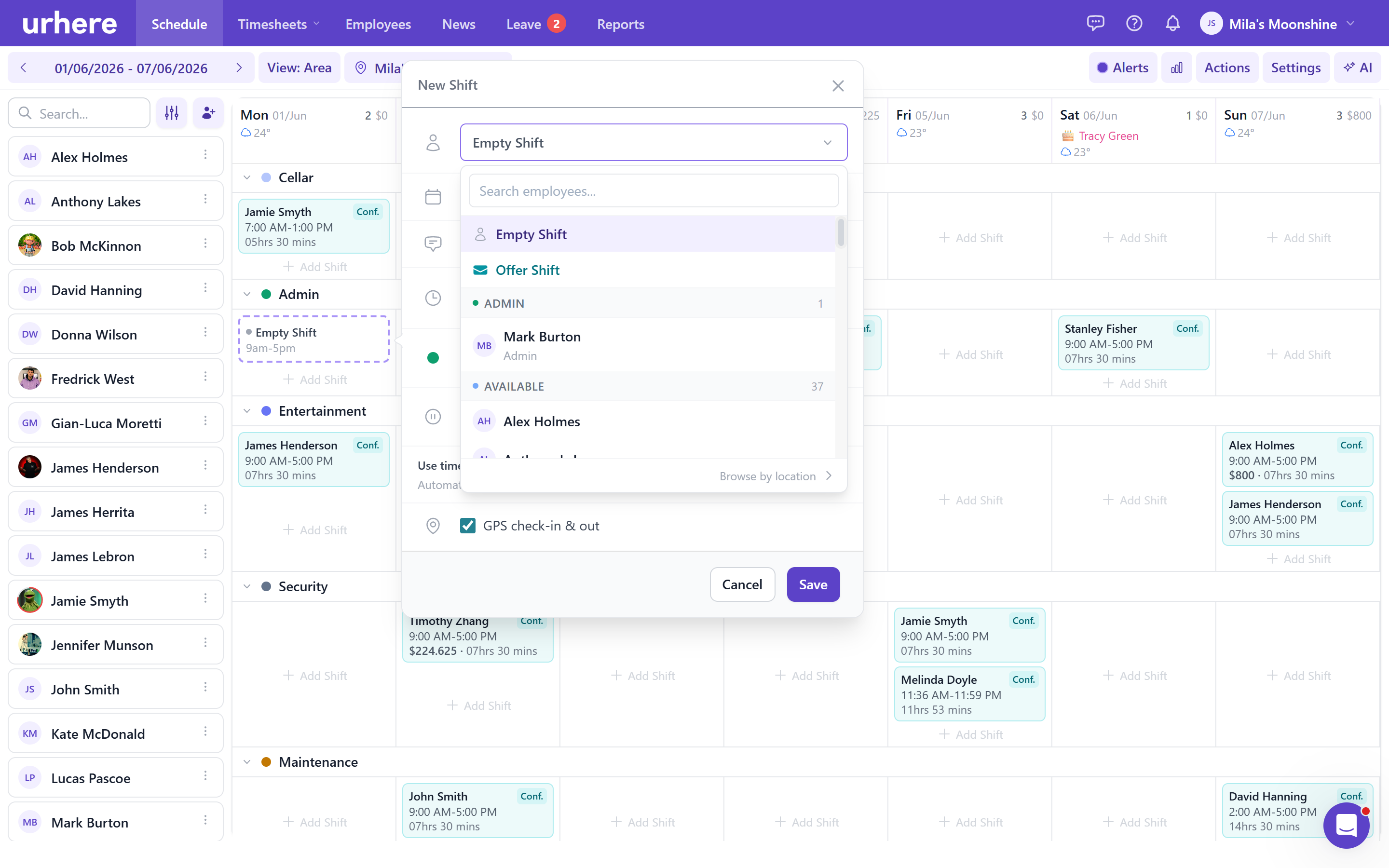
The complete scheduling system for shift-based teams
Urhere's schedule is the operational hub for your business — draft and publish shifts, track labour costs, see who has shown up in real time, handle swap requests, and run end-of-shift surveys. All in one place, on desktop and the Urhere mobile app.
Build, manage, and publish rosters with full control
From first draft to published schedule — everything in one system.
Multiple calendar views
7-day, 14-day, and monthly roster views. Group by area, employee, or day timeline and switch between them instantly. Your preferred view is saved.
Drag, copy, and paste shifts
Move shifts between employees or days, copy a full week for one employee, or paste the whole roster to another period — no rebuilding from scratch.
Recurring shifts and leave
Set repeat patterns for regular shifts and leave directly in the shift modal. Overnight shifts are handled automatically with end-date labelling.
Open and offered shifts
Create unassigned shifts employees can claim, or offer shifts to specific staff or anyone matching a skill filter — with live tracking of accepted, declined, and pending responses.
Bulk actions and templates
Select, publish, delete, or reassign shifts in bulk. Save any selection of shifts as a named template and load it into any week in one action.
Draft and publish when ready
Shifts sit as drafts until you publish. Staff only see their schedule once you decide it is ready — no accidental early sends, no half-built rosters going out.
Labour cost and sales tracking
Enter daily sales targets and actuals per location. Track scheduled and actual labour cost as a percentage of sales — right alongside the roster, not buried in a report.
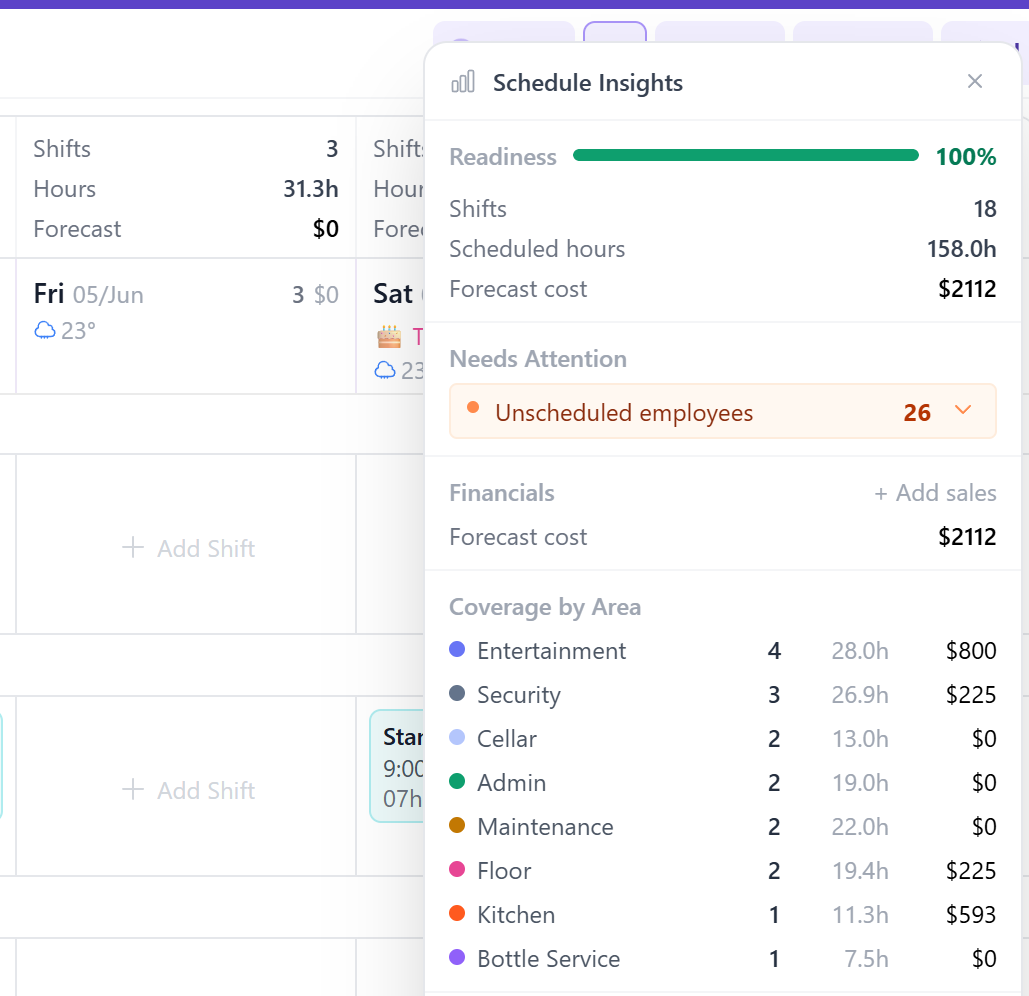
Warnings and insights panel
Automatic detection of shift clashes, contract hour breaches, and unpublished drafts before they become problems on the floor. Roster readiness score shows how complete the week is.
End-of-shift surveys
Configurable surveys sent automatically when a shift ends. Use them for shift feedback, safety sign-offs, incident reporting, or daily check-ins. Responses sit on the completed shift record.
Turn your roster into a live operations view
Most rosters are only useful before the day starts. Urhere keeps the roster live, showing who has arrived, who is on break, who is late, who has not shown up, and where overtime is starting to build.
Managers can act while there is still time to fix the problem.
- Live clock-in, break, late, no-show and overtime status
- Status filters to focus on the people who need attention
- No separate dashboard required — it all happens on the roster
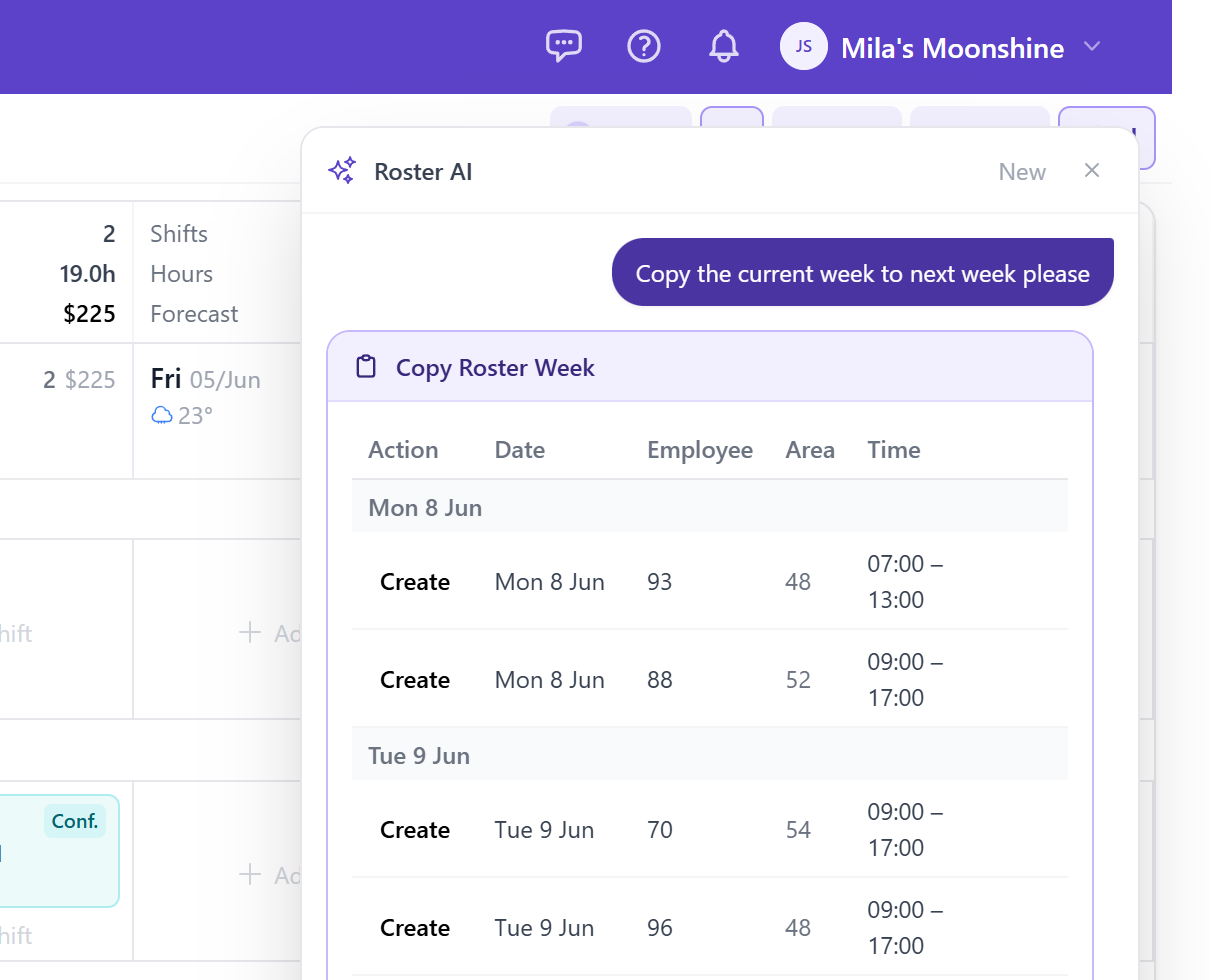
Build or adjust the entire roster in plain language
The AI roster assistant is available from the schedule toolbar. Describe what you need — "Give all casuals five morning shifts next week" or "Apply the weekday template and fill the gaps with available staff" — and the AI generates a full proposal showing exactly what will change before anything is saved.
Nothing is applied without your review. The assistant works with your existing employees, areas, and saved templates, so proposals are ready to use, not generic suggestions you still have to fix.
- Available directly from the schedule toolbar — no separate interface
- Generates a complete shift proposal with a review step before any changes are made
- Works with your actual team, areas, roles, and saved templates
- Managers confirm the proposal before the roster updates
Swap requests, offer claims, and leave approvals — all in one place
An animated badge on the schedule toolbar alerts you the moment a swap, open shift claim, or leave request needs attention. Open the review panel to approve or decline everything in one go — no tracking down individual messages.
Shift swaps require both employees to agree before the request reaches you, so you only see requests that are already settled between the people involved.
- Animated live badge on the toolbar when requests are waiting
- Approve or decline all pending requests from a single panel
- Shift swaps require mutual employee agreement before escalating to manager
- Approved changes update the roster and notify staff automatically
.png)
Roster from your desk or your phone
Full roster management on desktop
Drag-and-drop rostering with multi-day views, grouping modes, bulk actions, labour cost tracking, and the AI assistant. The complete feature set lives on desktop.
Manage shifts from your phone
The Urhere manager app lets you view, create, and edit shifts from anywhere. Browse employee availability grouped by available, unavailable, or over their work profile before assigning anyone.
Approve requests on the go
Shift swaps, open shift claims, and leave requests land in your manager app with push notifications. Approve or decline without being at a computer.
Common questions about rostering software
One flat price per location, per month.
Rostering, time and attendance, timesheets and payroll exports — one flat price per location. No per-user fees, no add-ons, no lock-in. Try free for 14 days.