
Roster Management for Shift-Based Teams
Build rosters with availability and leave visible, publish to staff in one action, and carry worked hours through to approved timesheets at the end of every pay period.
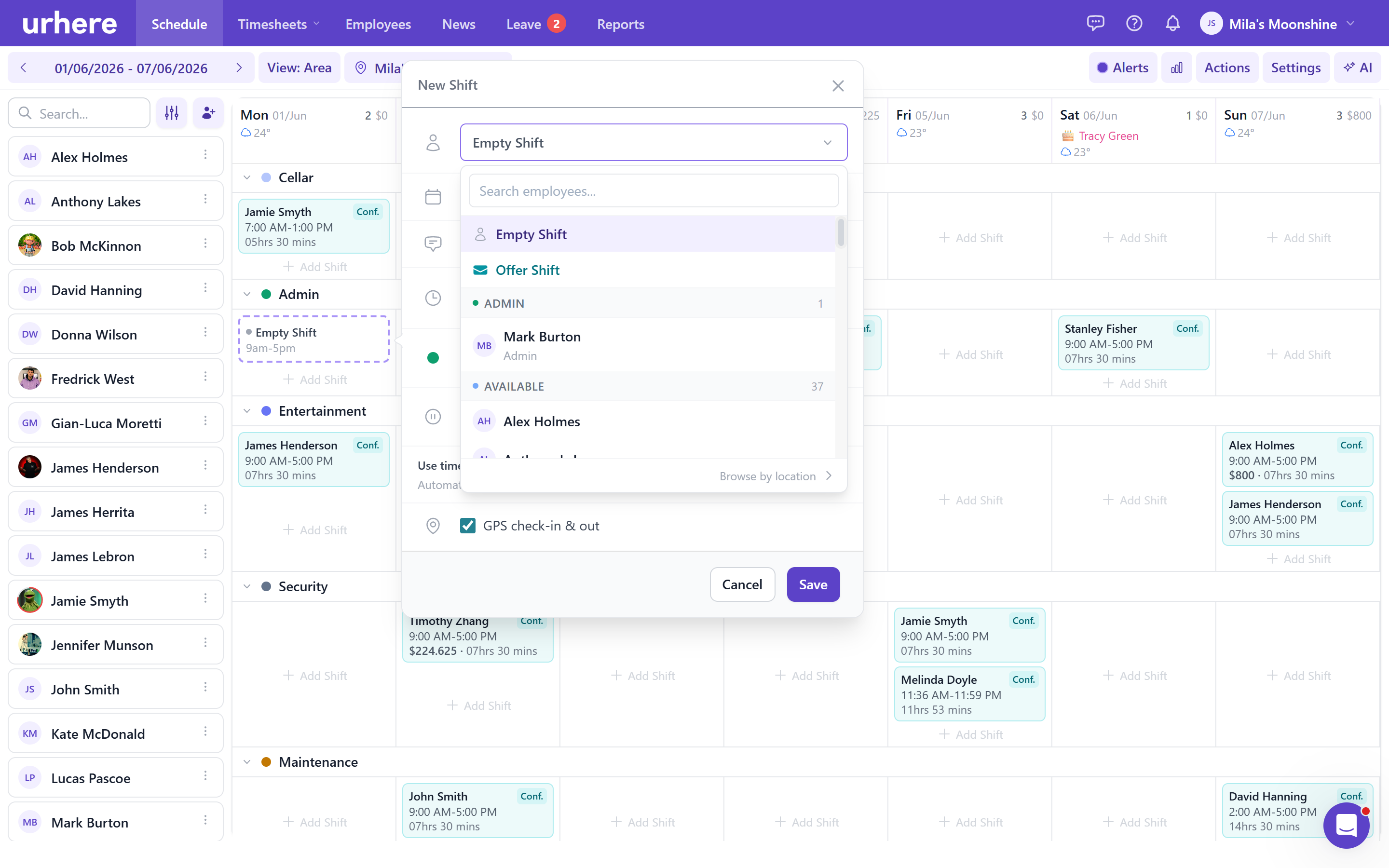
Stop spending hours on the roster every week
Urhere gives managers the tools to build, adjust and publish rosters without the spreadsheet juggling. Availability, leave, shift swaps, open shifts and labour costs are all visible in the same view — so you spend less time planning and more time running the floor.
Draft, review and publish when you are ready
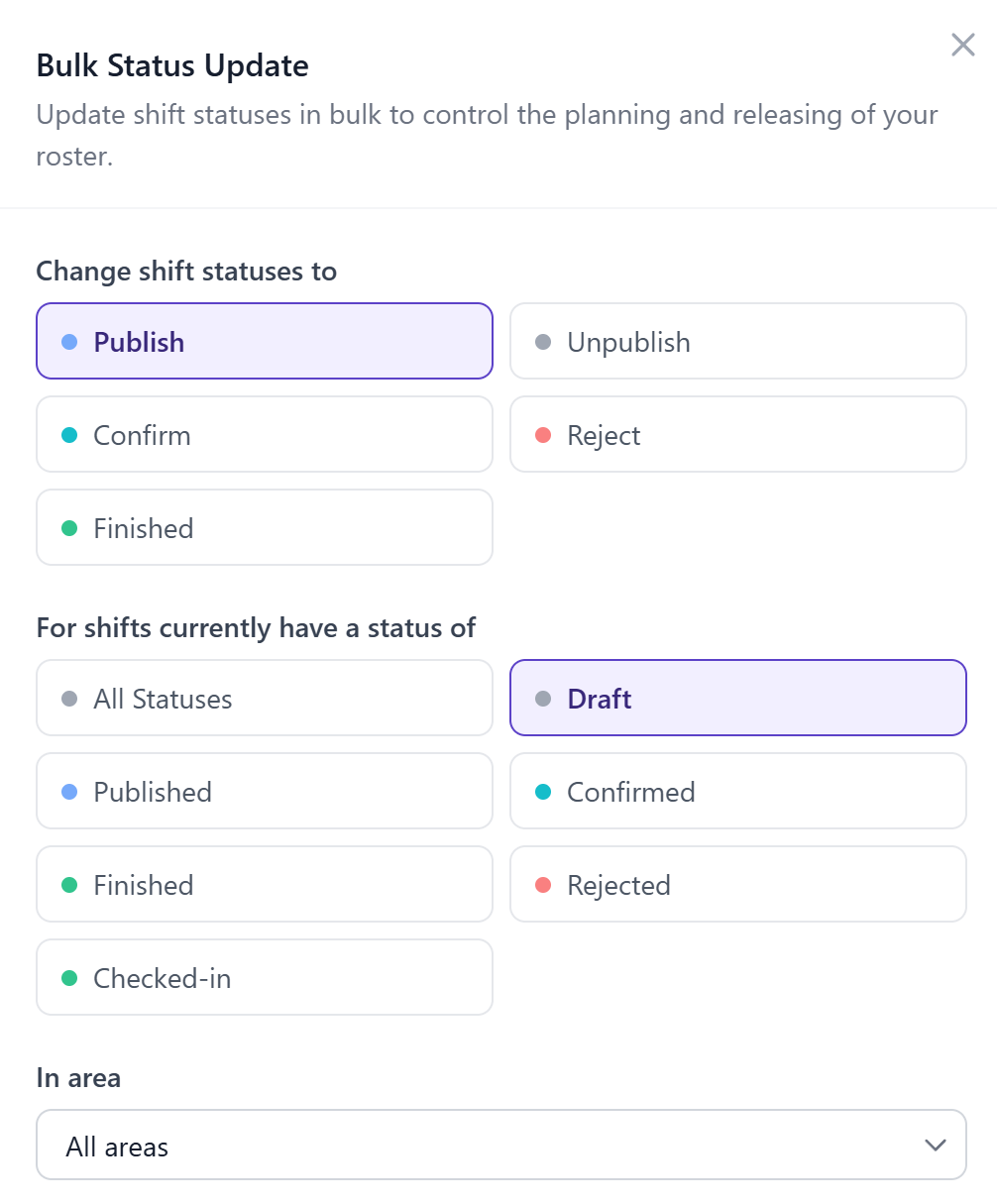
Build the roster in draft mode and check it before anyone sees it. Review your coverage by day, confirm there are no leave conflicts, then publish with one click to notify your team.
Employees receive a push notification on the Urhere app when the roster is published. They see their shifts, confirm availability and request changes — all without calling or texting you.
- Draft rosters before publishing
- Leave and availability visible while you plan
- One-click publish with instant staff notifications
- Shift changes tracked and managed in the same system
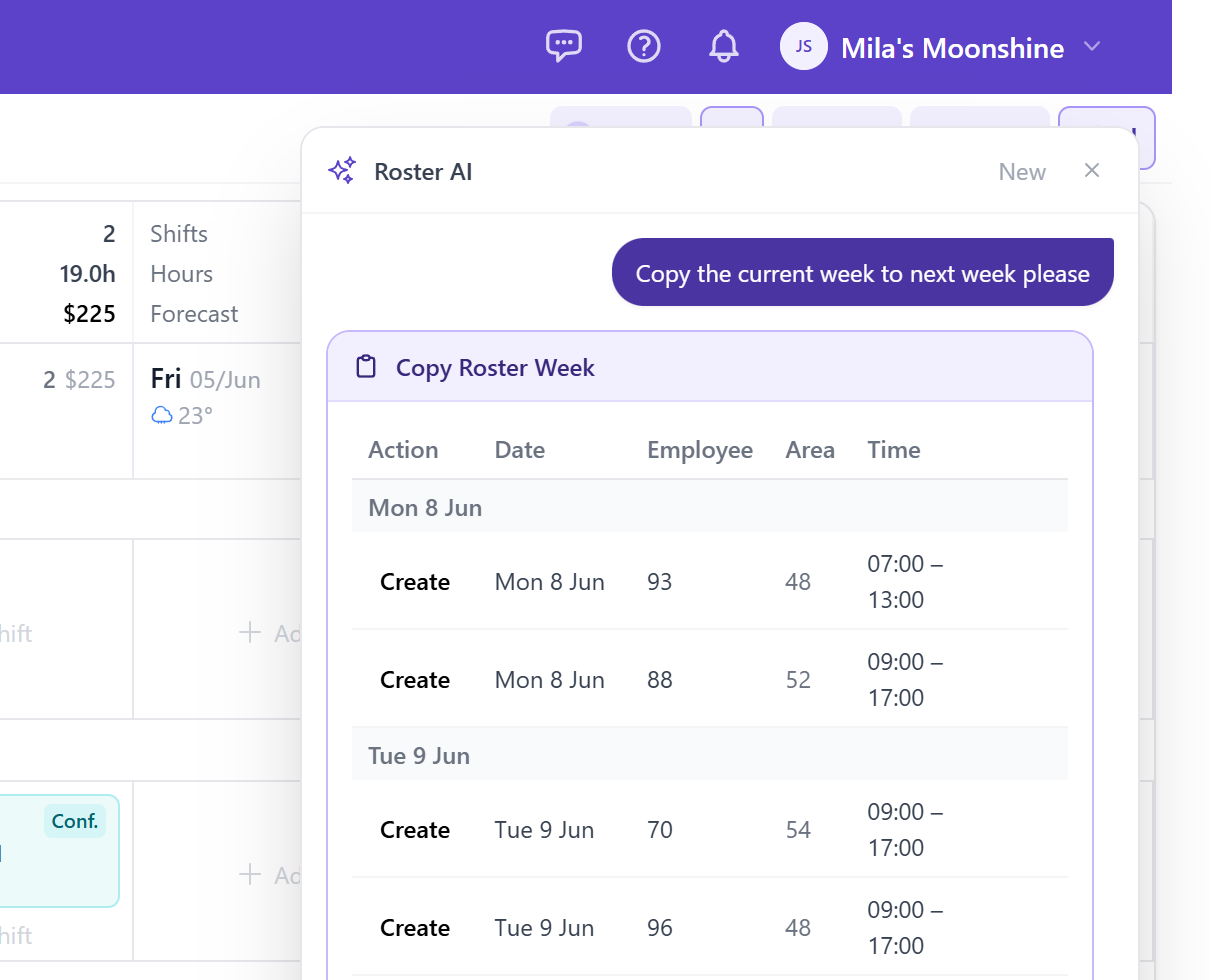
Build or adjust the entire roster in plain language
Urhere includes an AI assistant that can build or adjust the roster from a plain-language instruction. Tell it what you need — fill open shifts, copy last week, schedule your floor staff for Friday night — and it updates the roster accordingly.
You review what it has done and publish when you are satisfied. Useful for building a first draft quickly or handling last-minute changes without manually editing every cell.
- Plain-language roster instructions
- AI fills open shifts based on availability and roles
- Review changes before publishing
- Handles bulk adjustments and recurring patterns
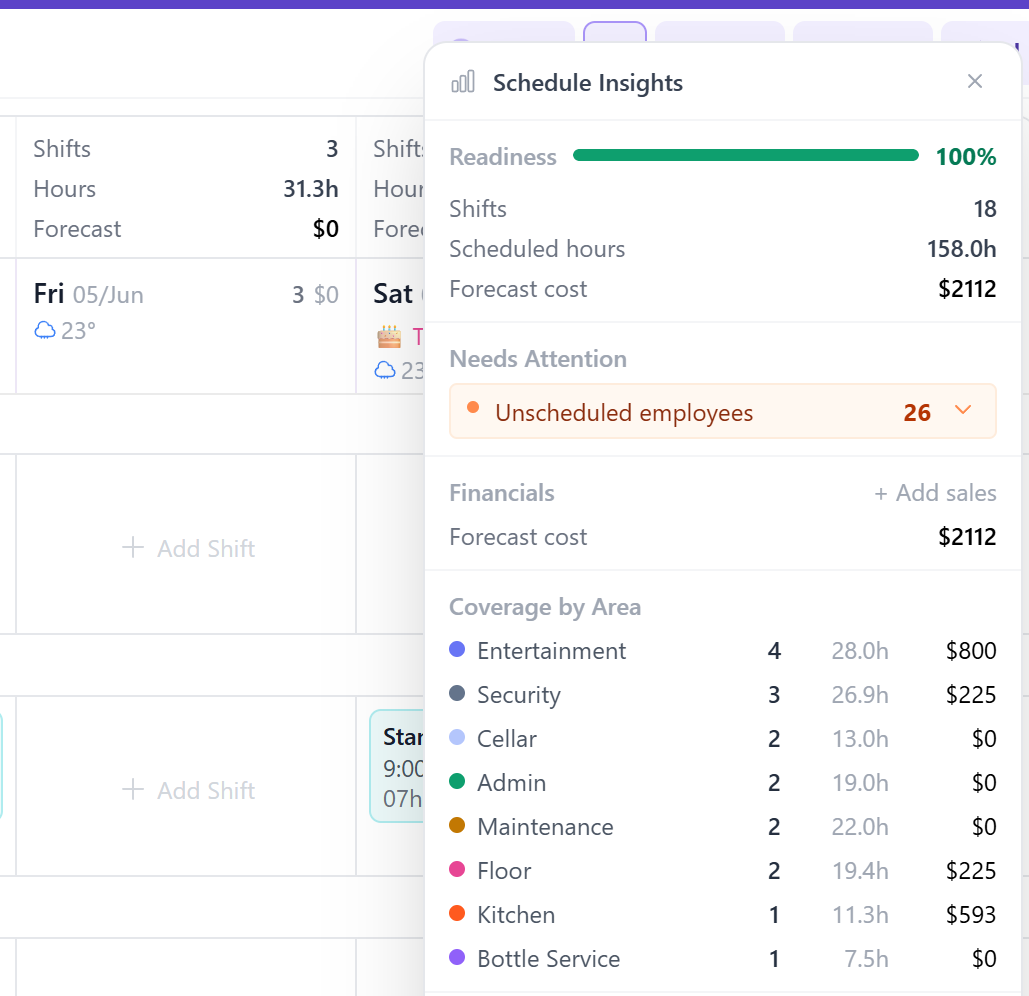
See labour cost and coverage as you build
As you add and adjust shifts, Urhere shows the estimated cost of each shift and the total weekly labour spend. You can also set a target labour cost as a percentage of sales and see how the roster tracks against it.
Coverage warnings flag any gaps or issues before you publish — understaffed areas, clashing shifts, or employees scheduled outside their availability.
- Labour cost visible per shift and per day
- Set a target cost as a percentage of sales
- Coverage warnings before you publish
- Warnings panel highlights unresolved issues
Build the roster and stay in control of it
Availability, leave, labour cost and shift changes — all in the same view.
Multiple calendar views
Switch between 7-day, 14-day and monthly views. See by location, by area or by employee.
Drag, copy and paste shifts
Add shifts quickly with drag and drop. Copy individual shifts or entire columns. Paste repeated patterns in seconds.
Recurring shifts and templates
Save a week as a template and apply it to future periods. Set recurring shifts for staff with a regular pattern.
Availability and leave visible while you plan
Approved leave and availability preferences show in the roster view. No cross-referencing spreadsheets.
Open and offered shifts
Create open shifts for unclaimed slots. Offer them to eligible employees through the app and approve from the dashboard.
Labour cost as you build
See estimated shift costs and total weekly labour cost update as you add and adjust shifts — before you publish.
How roster management works in Urhere
From planning to payroll — all in one place.
Check availability and leave
Before building the roster, see which employees are available, who has leave approved and where you have coverage gaps.
Build and assign shifts
Add shifts by role, area or location. Assign staff to shifts. Copy from a previous week and adjust as needed.
Review before publishing
Check the draft roster for gaps, conflicts and coverage before anyone sees it. Make changes without affecting staff.
Publish and notify
Publish the roster with one click. Staff receive a push notification on the Urhere app with their shifts for the week.
Handle changes and swaps
When shifts change, staff are notified automatically. Employees can request swaps, and managers approve or decline from the dashboard.
Attendance and timesheets follow
When staff clock in, actual hours are recorded against their rostered shift. Managers review and approve timesheets before payroll.
Common questions about roster management
One flat price per location, per month.
Rostering, time and attendance, timesheets and payroll exports — one flat price per location. No per-user fees, no add-ons, no lock-in. Try free for 14 days.